
Fortnite Account Full Access vs Mail Access vs Not Full Access: What You Actually Get
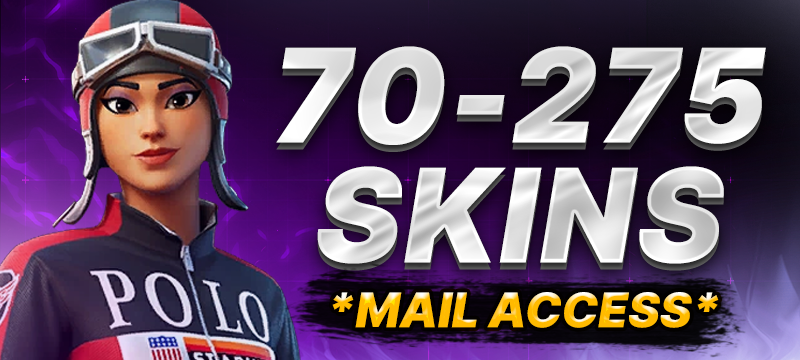
Full Access means you receive both the Fortnite (Epic Games) login and the linked e-mail account, so you can move the account fully under your control. Mail Access means you receive the linked mailbox and reset the game password yourself. Not Full Access (NFA) means you receive only the game login while the original e-mail stays with the seller — it is a play-only account and the cheapest of the three.
Key takeaways
- The access type tells you how much control you get, not how many skins are on the account.
- Full Access is the only option where you can change the linked e-mail, the password and 2FA without depending on anyone else.
- Mail Access gives you the same end result as Full Access after one extra step: a password reset through the mailbox you now own.
- Not Full Access is for playing, not for owning. You cannot move the e-mail, so treat it as a temporary account and price it accordingly.
- On TeNET the access type is written in square brackets in every product title, e.g. [FULL ACCESS], [MAIL ACCESS], [NOT FULL ACCESS].
Why the access type matters more than the skin count
Most people comparing Fortnite accounts look at three things: which skins are included, how many there are, and the price. The fourth line — the access type — is often skimmed, yet it decides whether the account is yours in any practical sense a week after purchase.
An Epic Games account is anchored to an e-mail address. Whoever controls that mailbox can request a password reset, receive security codes and approve changes. If you hold the game login but not the mailbox, you can play today, but you cannot lock the account down, and you are trusting the mailbox holder indefinitely. That single fact is what separates a €150 Black Knight account from a €12 "100 to 300 skins" play account of similar visual value.
So before comparing lockers, decide what you actually need: a long-term account you will invest time and V-Bucks into, or a cheap account to play a few sessions with skins you would not otherwise have.
Full Access: what you get and what you can do
With a Full Access Fortnite account you receive two sets of credentials in the order chat inside your TeNET account:
- the Epic Games login (e-mail address and password used for the game), and
- the login for that same e-mail account (typically Gmail, Outlook or a similar provider).
Because you control the mailbox, you can do everything the original owner could:
- Change the linked e-mail to one you created yourself — this is the step that truly transfers control.
- Set a new Epic password and sign out of all other sessions.
- Enable two-factor authentication on your own device.
- Review connected platforms (PlayStation, Xbox, Switch, Google, Apple) and unlink anything you do not recognise.
Full Access costs more because the seller is handing over the entire identity of the account, not just a way in. It is the only sensible choice for named-skin accounts such as Take the L [Full Access] or for anything you plan to keep for the long haul.
Mail Access: the linked mailbox is the key
Mail Access is a close cousin of Full Access and is sometimes confused with it. Here you receive the login for the e-mail account that is linked to Fortnite, but not necessarily the current game password. That is fine, because with the mailbox in hand you simply go to the Epic Games login page, choose "Forgot your password?", receive the reset link in that mailbox and set a password of your own.
After the reset, the account is functionally Full Access: you hold the game login and the mailbox, so you can proceed with the same four steps described above, including changing the linked e-mail. The extra step takes about two minutes. Mail Access products are often a little cheaper than the equivalent Full Access listing for exactly that reason — a small trade of convenience for price. A typical example is From 5 to 175 Fortnite Skins [Mail Access].
One thing to check straight away: log in to the mailbox first, confirm it opens, and confirm that Epic messages are actually arriving there. If the mailbox login fails, report it in the order chat inside the 48-hour window rather than trying to work around it.
Not Full Access: play-only and priced accordingly
Not Full Access (you will also see "NFA" or "Partial Access") means you receive the Epic Games e-mail address and password, but the mailbox itself remains with the seller. In practice:
- You can log in and play with everything in the locker.
- You cannot change the linked e-mail, because Epic sends a verification code to the current address.
- You cannot reliably enable or reset 2FA, since the recovery path runs through that mailbox.
- The mailbox holder can, in theory, reset the password at any time.
This is why NFA accounts are the cheapest tier by a wide margin. A listing such as From 100 to 300 Skins [Not Full Access] gives you a large locker for a small price, but the product page is explicit that the guarantee applies at the moment of purchase and that a later recovery by the original holder is not covered by replacement. NFA is a fair deal only if you go in with that understanding: it is a play account, not an asset.
Two more practical notes on NFA listings. First, some are PC-only — read the platform line on the product page. Second, because the previous holder may still have an active session, you could occasionally be kicked from a match. Neither is a defect; both are part of what makes the tier inexpensive.
Side-by-side comparison
| What you get | Full Access | Mail Access | Not Full Access |
|---|---|---|---|
| Epic Games login (e-mail + password) | Yes | Set it yourself via reset | Yes |
| Login to the linked mailbox | Yes | Yes | No |
| Change the linked e-mail | Yes | Yes (after reset) | No |
| Enable 2FA on your own device | Yes | Yes | Not reliably |
| Long-term ownership | Yes | Yes | No — play-only |
| Typical price level | Highest | Slightly lower | Lowest |
| Best for | Named skins, OG accounts, daily use | Budget buyers who do not mind one extra step | Casual play, trying skins, short-term use |
Which access type should you choose in 2026?
A simple rule works for most buyers:
- Buying a specific skin or an OG account? Full Access. You are paying for rarity; do not leave the door open. If you are weighing up an OG purchase, our guide to Fortnite OG accounts in 2026 covers what drives their value.
- Want a big random locker at the lowest price you can still own? Mail Access, then reset the password and change the e-mail in the first ten minutes.
- Just want to play with skins for a while and spend as little as possible? Not Full Access — and do not top up V-Bucks or link your own console to it.
Whatever you choose, the first hour after delivery is the important one. On Full and Mail Access, change the e-mail before anything else. On NFA, log in, confirm the locker matches the listing, and simply play.
Common misconceptions
"Full Access means the account can never be recovered."
No marketplace can promise that. What Full Access gives you is the ability to remove the previous holder's recovery paths: new e-mail, new password, your own 2FA, unlinked platforms. Done properly, that closes the routes a seller could otherwise use. Publishers apply their own terms to accounts, and TeNET is an independent marketplace not affiliated with Epic Games, so the account remains subject to Epic's rules like any other.
"Mail Access is worse than Full Access."
It is one extra step, not a different level of control. Once you have reset the password through the mailbox, you are in the same position as a Full Access buyer.
"NFA is a scam tier."
It is not, provided the listing is honest about it — which is why TeNET puts the access type in the product title and repeats the limitation in the description. It becomes a bad purchase only when a buyer expects long-term ownership from a play-only product.
How TeNET does it
Every Fortnite listing on TeNET's Fortnite catalogue carries the access type in square brackets so you can filter by what you actually need. Credentials arrive in the order chat inside your TeNET account, usually within about an hour (the recent median is around 25 minutes) and within 24 hours at most. You then have a 48-hour window to check the account against the listing and report any problem in the same chat; we replace with an account of equal or higher value, and refund if no replacement is available. On top of that sits the statutory two-year EU conformity guarantee. Because credentials are digital content, the 14-day withdrawal right ends at delivery — you consent to this at checkout, and the details are in our refund policy and FAQ.
Payment is by card through Stripe (Visa, Mastercard, Apple Pay, Google Pay) or by crypto through Cryptomus. Support is available daily from 9:00 to 23:00 CET via the order chat, support@tenetbuy.com or Telegram @tenet_com.
FAQ
What does Full Access mean on a Fortnite account?
You receive the Epic Games login and the login for the e-mail account linked to it. That lets you change the e-mail, password and 2FA yourself and take full control of the account.
Can I change the e-mail on a Not Full Access account?
No. Epic verifies e-mail changes with a code sent to the current address, which stays with the seller. NFA accounts are for playing, not for transferring ownership.
Is Mail Access the same as Full Access?
Almost. With Mail Access you get the mailbox and reset the game password yourself via "Forgot your password?". After that reset you have the same control as a Full Access buyer.
Why are Not Full Access accounts so much cheaper?
Because the seller keeps the mailbox, the account cannot be secured long-term and may be recovered by the previous holder. The price reflects that limited, play-only nature.
What should I do first after receiving a Full Access account?
Log in to the mailbox, then change the linked e-mail on the Epic account to one you created, set a new password, sign out everywhere and enable 2FA. The whole process takes about ten minutes.
Ready to choose? Browse the Fortnite accounts on TeNET, pick the access type that fits how you play, and you will have the credentials in your order chat within the hour in most cases.